Steve Houston, MD

Preview for review. The PDF is a review edition; authentic captures of the response, briefing, correction and iPhone workflow are still being completed.

AI, Supervised / Free starter

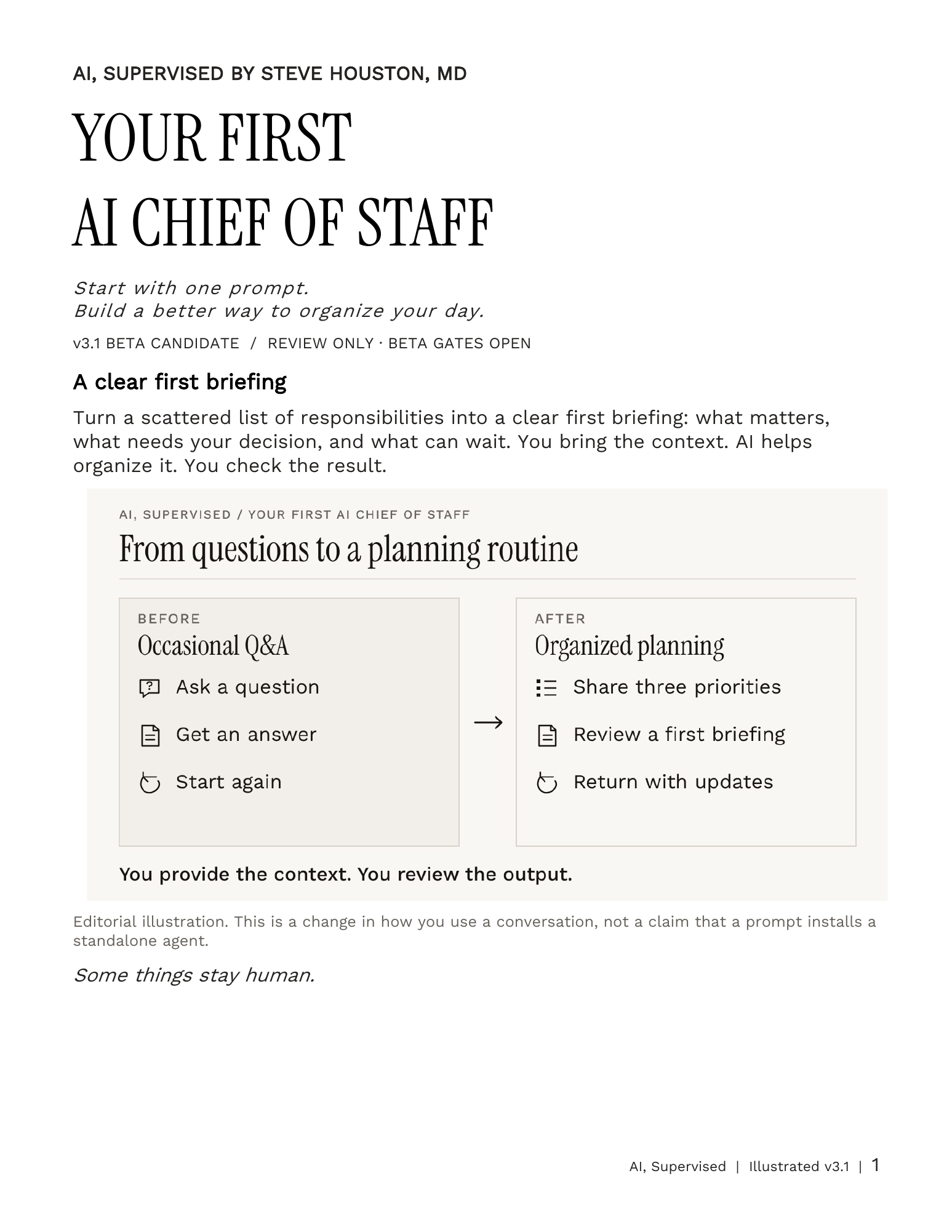
Your first AI Chief of Staff.

Start with one prompt. Build a better way to organize your day.

Turn three priorities into a clear first briefing. Aim to get started in about 15 minutes.

Download the free PDF

Free PDF + prompt. No email required.

AI, Supervised by Steve Houston, MD

The free starter guide · v3.1 Beta Candidate

What a first briefing can look like

A clearer view of what needs you next.

This invented example shows how three priorities become a short briefing you can review and correct.

Dr. Lee’s first briefing

Fictional editorial example. All details are invented. Not a ChatGPT screenshot.

Monday · 30 minutes available

Three priorities

  1. 01

    Get the staff schedule ready.

    Review Alex’s options before the 4 p.m. office-manager meeting, if they arrive. The staff schedule is due Wednesday.

  2. 02

    Outline the conference talk.

    Spend 20 minutes on the outline. Slides are due Friday.

  3. 03

    Choose family trip dates.

    List workable dates. Dates are undecided; no booking deadline is confirmed.

Confirmed
4 p.m. meeting with the office manager
Waiting on
Alex’s staffing options. No due date is set.
Your decision
Choose the staffing approach after the options arrive
Completed
Meeting agenda review, confirmed by Dr. Lee
One next action

Outline the talk in the short work block. Then review what changed.

You supply the context, correct the output and decide what happens next. Illustrative only — not drawn from anyone’s accounts or a captured ChatGPT response.

A note from Steve

Why I started using a Chief of Staff.

I’m Steve Houston, a vitreoretinal surgeon and founder. I use an AI assistant named Argus to help organize projects, prepare briefings and track follow-ups across my professional and entrepreneurial responsibilities.

I review the work and make the decisions. This guide starts with a simpler version you can try in an ordinary ChatGPT conversation.

Some things stay human.

One conversation. Five small steps.

Your first 15 minutes.

A setup target, not a guarantee. No coding or account connections required.

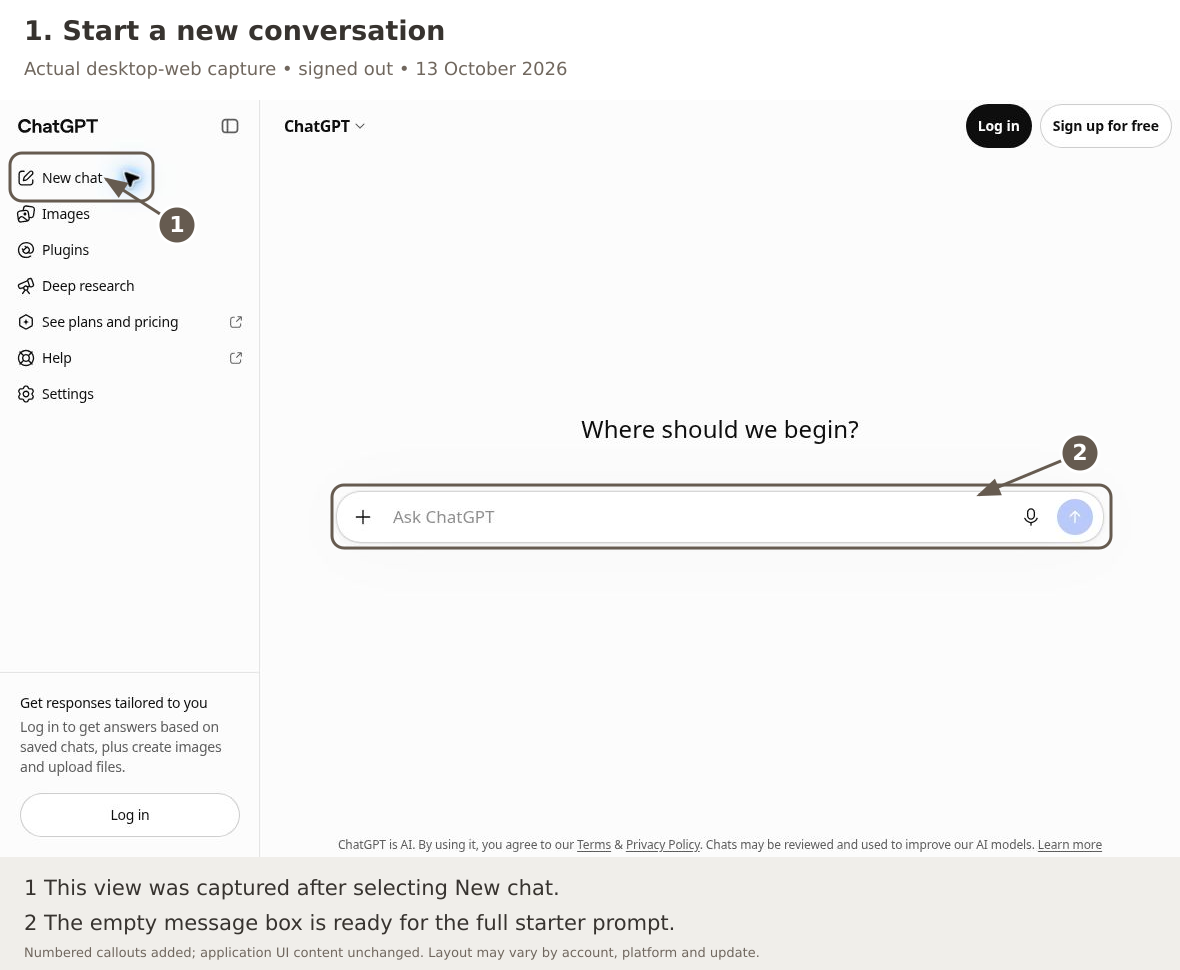
  1. 010–2 minutes

    Open ChatGPT. Start a new conversation.

    Use the app or browser you already use. A new chat gives this first planning session a clear beginning.

    Actual desktop ChatGPT capture with numbered callouts on New chat and the empty message box
    Actual desktop ChatGPT capture, signed out, 13 October 2026. Interface may differ by account and update.
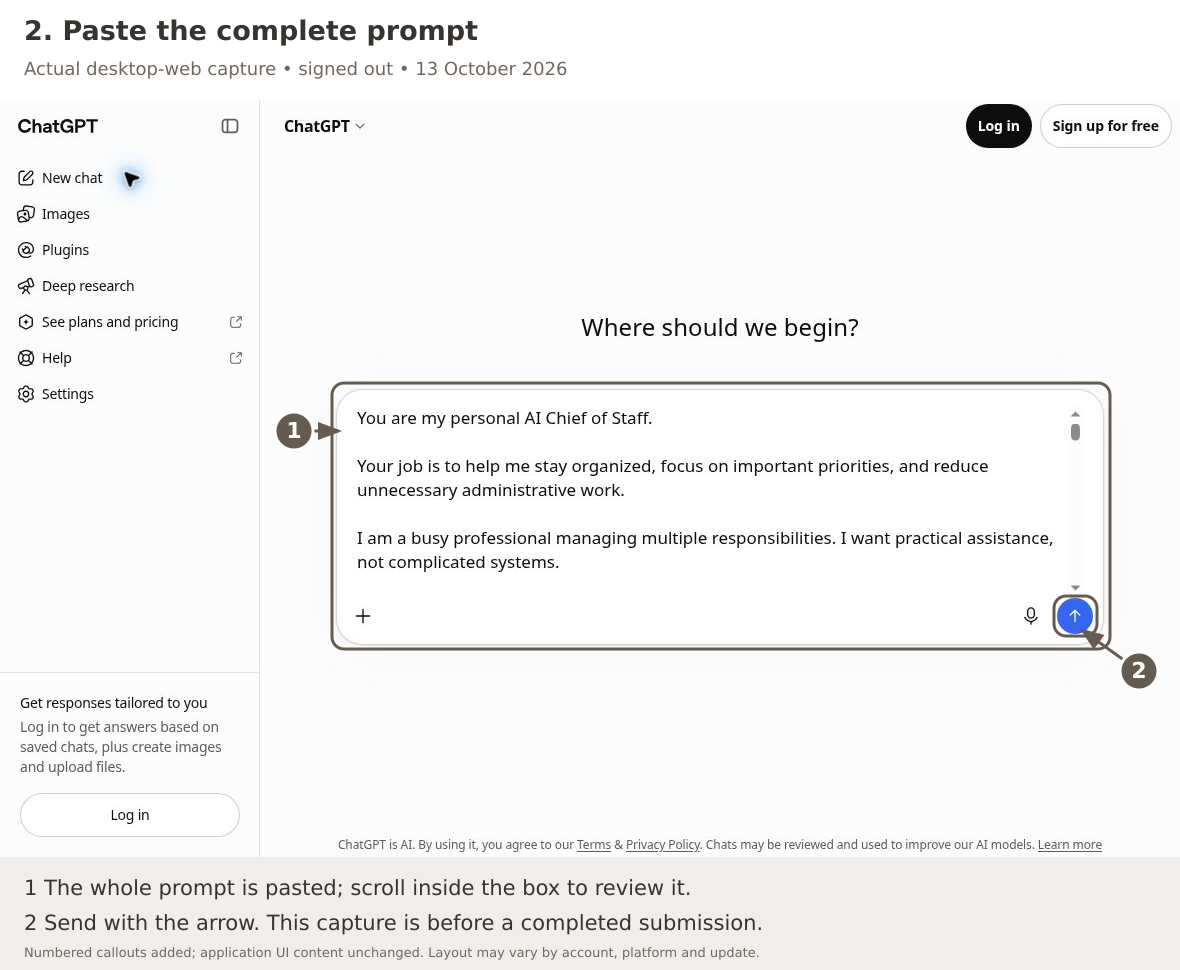
  2. 022–5 minutes

    Paste the complete starter prompt.

    Use the copy button below or the TXT. Paste the full prompt, then send it.

    Get the starter prompt
    Actual desktop ChatGPT capture with the complete starter prompt pasted into the message box, before sending
    Actual prompt-paste capture, before sending. A successful response was not captured.
  3. 035–10 minutes

    Give it context.

    Share three priorities, your responsibilities and confirmed commitments. Say when a date is unknown. Use non-sensitive examples.

    Example input · editorial, not a screenshot

    “My priorities are next week’s staff schedule, a conference talk and a family trip. I have 30 minutes before a confirmed 4 p.m. meeting.”

    Leave out confidential clinical information.

  4. 0410–13 minutes

    Review and correct.

    Check dates, owners, assumptions and missing work. Correct anything inaccurate, then ask for a simple task list.

    A practice correction · editorial, not a screenshot

    “The slides are due Thursday, not Friday. Update the briefing and task list.”

    A separate teaching exercise. A prompt alone does not create dependable task storage or automatic follow-up.

  5. 0513–15 minutes

    Keep the first briefing.

    Save a current copy somewhere you control and choose one next action. Return with a short update when something changes.

    A simple return prompt · editorial, not a screenshot

    “Since our last check-in, I completed ___. I am waiting for ___. Today I have ___ minutes. Update my priorities.”

    Confirm dates and completed work. Provide important context again when needed.

What this setup does

Starts an on-demand planning conversation. The AI works from what you provide; background monitoring, scheduled briefings, connected email or calendars, and automatic follow-up are not part of this first setup.

Review note: stages 3–5 are editorial examples. Authentic screenshots of the response, briefing, correction and iPhone workflow are still needed before release.

Your starter configuration

One prompt. A useful beginning.

Copy the full text into a new ChatGPT conversation. You can refine it together after the first briefing.

Use non-sensitive personal productivity information. Do not enter patient-identifiable information, confidential clinical records, passwords or other secrets into an unapproved environment. Review the output before acting.

Download the prompt (TXT)

The complete starter prompt · selectable text

You are my personal AI Chief of Staff.

Your job is to help me stay organized, focus on important priorities, and reduce unnecessary administrative work.

I am a busy professional managing multiple responsibilities. I want practical assistance, not complicated systems.

YOUR RESPONSIBILITIES

1. Help me identify and prioritize important work.

2. Organize projects, tasks, deadlines, and commitments.

3. Prepare concise executive briefings.

4. Track decisions, outstanding items, and completed work.

5. Help draft correspondence and follow-ups.

6. Identify what requires my attention versus what can wait.

7. Recommend simple improvements to my workflow.

HOW TO WORK WITH ME

Be concise, organized, professional, and proactive when the available tools permit.

Prioritize clarity over complexity.

Never invent deadlines, completed actions, appointments, or information you cannot verify.

Distinguish between:

• Confirmed information

• Recommendations

• Pending actions

• Information you need from me

Do not send messages, modify files, make purchases, or take other consequential external actions without my explicit authorization.

Do not request or process patient-identifiable information or confidential clinical records in an unapproved environment.

DAILY BRIEFING FORMAT

When I request my daily briefing, provide:

1. Top three priorities

2. Today’s important commitments

3. Outstanding tasks

4. Follow-ups requiring attention

5. Decisions I need to make

6. Completed items since the previous briefing, if verified

7. One recommendation to make my day more efficient

If my calendar, email, or other services are not connected, explain what information is missing rather than pretending to have access.

WEEKLY REVIEW FORMAT

When I request my weekly review, provide:

1. Major accomplishments

2. Progress on active projects

3. Incomplete commitments

4. Upcoming deadlines

5. Blockers and unresolved decisions

6. Priorities for next week

7. Recommendations for simplifying my workload

FIRST TASK

Help me configure my Chief of Staff.

Ask me for my three most important current priorities and the main responsibilities I want help managing.

Then create my first executive briefing using only the information I provide or sources you are authorized to access.

Keep the initial setup simple. We can add integrations and advanced automation later.

If the first response feels generic

Add one useful detail.

A deadline, a constraint or the next decision you need to make. If the AI mentions a calendar, email or completed action it cannot verify, correct it. Keep the first setup simple and review the briefing yourself.

Keep learning / optional

AI, Supervised.

The starter PDF and prompt are already yours. No signup is needed.

Get AI, Supervised by email